Flows
Messages that send themselves when shoppers act
A flow starts with a trigger, such as a sign-up, a started checkout or an order, and moves each shopper through the delays, conditions and messages you lay out.
Build a flow from three kinds of step
Triggers
Joining a list or segment, any event such as an order, a date on the profile, a price drop or a restock.Conditions
Split shoppers by what they did or who they are, and filter out anyone who should leave the flow.Actions
Send an email, a text once SMS is on, call a webhook, update the profile or alert your team.
Flows most stores switch on first
Each one is in the flow library, ready to edit.
Builder
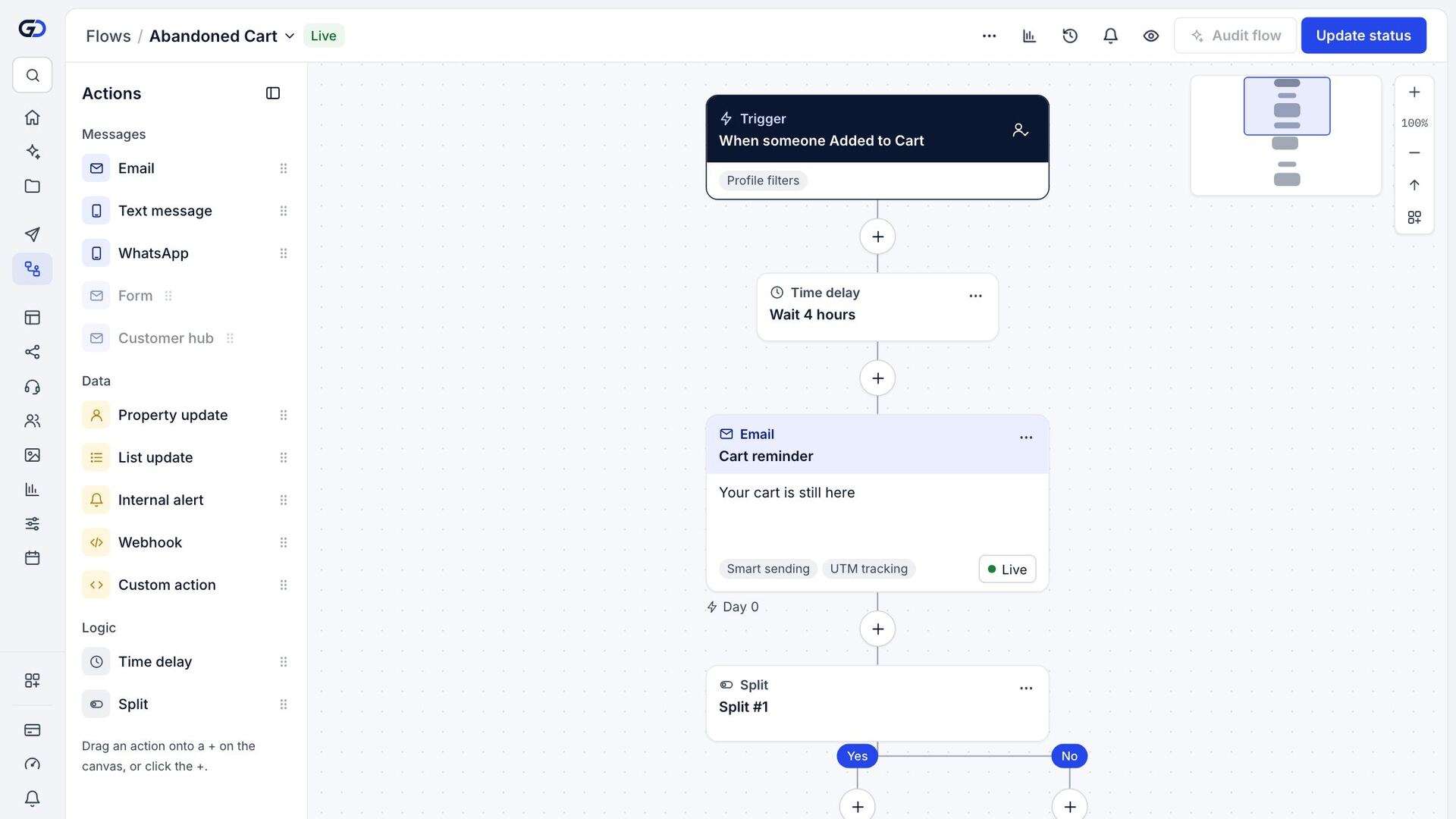
Lay it out on a canvas
Add steps, branch on conditions, and see how many shoppers are at each step.
Per-message status. Set one email to draft or manual without stopping the rest of the flow.
Flow filters. Remove shoppers from the flow the moment they stop qualifying, such as after they order.
Ada Lindqvist
ada@example.com · +1 555 0142
Sign-up form, 12 Mar
SMS
No consent on record
Recent activity
- Placed Order$136.00 · 2d
- Clicked Email3d
- Viewed Product3d
Safety
Nothing sends by surprise
A new flow starts in draft. When you switch it on, you choose whether shoppers who already qualify should enter or only new ones.
Consent checked. Every send checks the shopper's consent and suppressions at the moment it goes.
Quiet hours. Texts wait for the shopper's morning.
Results
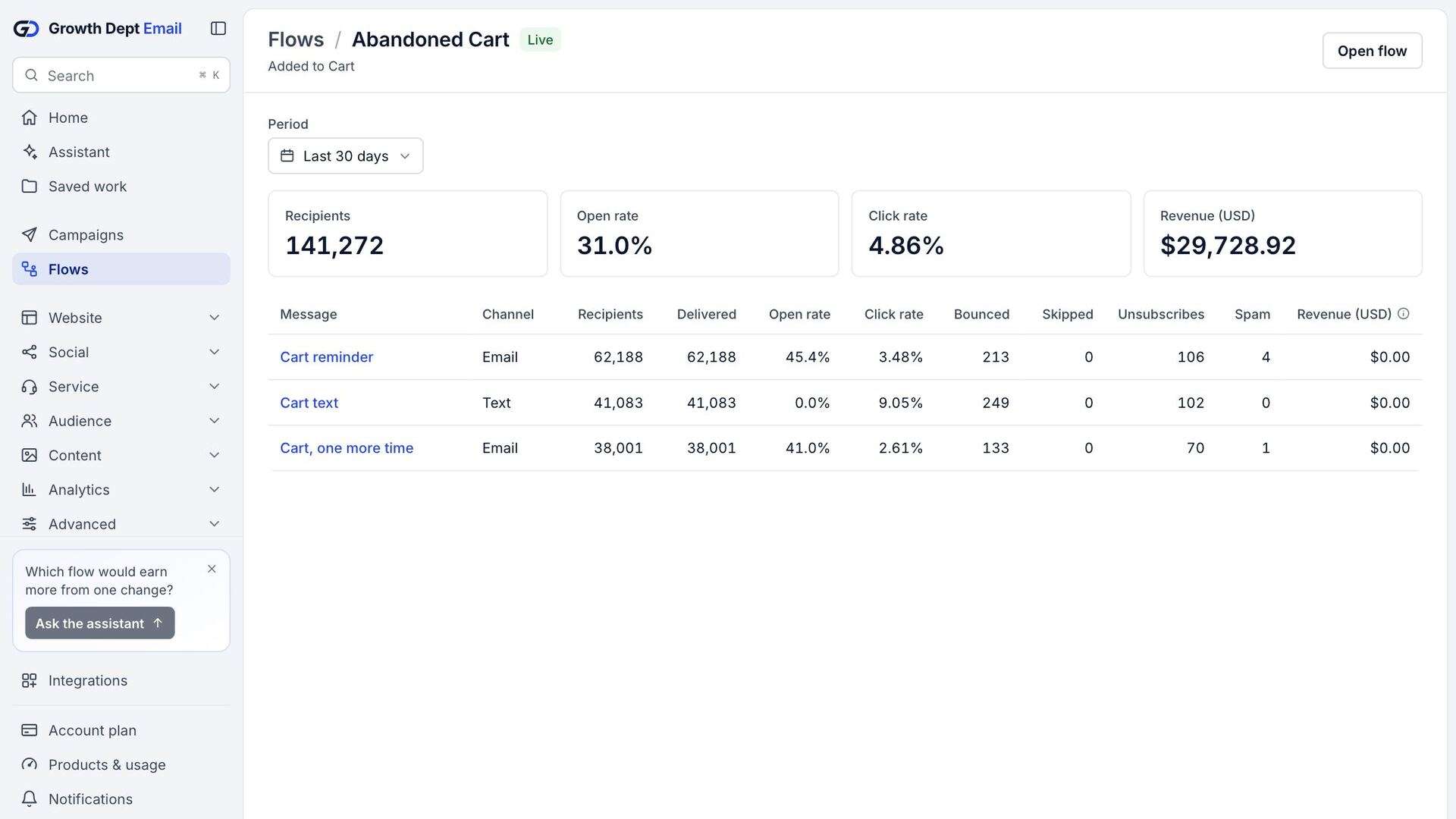
See where shoppers drop off
Results for the whole flow and for each message: delivered, opened, clicked, ordered.