Your deliverability score
What the score out of 100 is made of, the ranges we recommend, and the quickest ways to raise it.
About 2 minutes to read
What the score measures
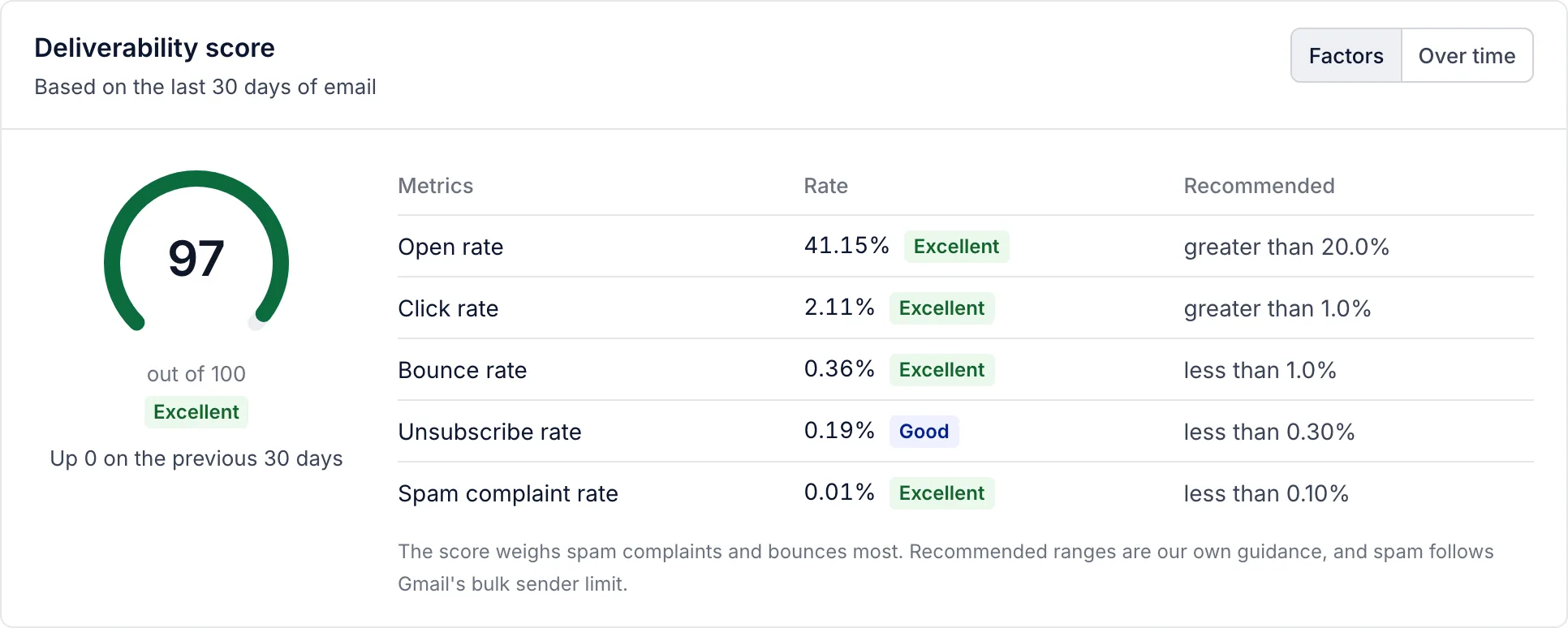
Analytics then Deliverability scores your email out of 100 from five rates over the period you choose: the last 7, 30 or 90 days of campaign and flow email. Each rate is rated against a recommended range, and the ratings are weighted. Spam complaints and bounces count most, because they are what inbox providers act on.
- Spam complaint rate
- Below 0.10%, Gmail's guidance for bulk senders. Weight 30.
- Bounce rate
- Below 1%. Weight 25.
- Open rate
- Above 20%. Weight 15.
- Click rate
- Above 1%. Weight 15.
- Unsubscribe rate
- Below 0.30%. Weight 15.
90 or more is Excellent, 70 to 89 Good, 50 to 69 Fair, and below 50 Poor. With nothing delivered in the period there is no score. Over time shows the score week by week.
Raise your score
Most scores rise fastest by sending less to people who do not read:
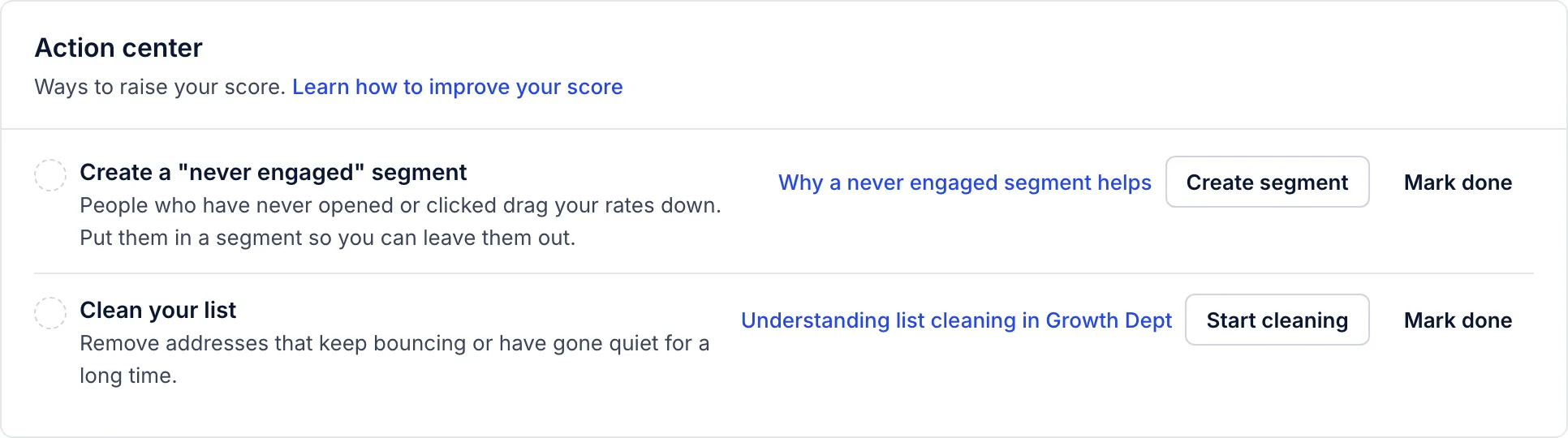
- Send to engaged people first. Build your campaigns around a segment of people who opened or clicked recently, and leave out the rest. See never engaged segments.
- Clean the list. Suppress addresses that have gone quiet for months. See Clean your list.
- Check your sending domain. A verified domain with DKIM, SPF and DMARC in place keeps more mail out of spam. See Verify a sending domain.
- Send at a steady pace. Smart sending skips people who got a message from you within the period set under Settings then Email.
The Action center on the same page lists the first two steps with a button for each. Mark one done when you have done it; the mark is a reminder for your team, and the score itself changes only as new email goes out.
When we pause sending
Separately from the score, we watch the last 7 days of campaign and flow email for every account that sent at least 200 messages. At 2% hard bounces or 0.1% spam complaints you get a warning. At 5% hard bounces or 0.3% spam complaints, the rate at which Gmail starts rejecting a sender’s mail, marketing email is paused for the account to protect its reputation. Transactional email and tests still go. A Growth Dept admin resumes sending once the cause is fixed.
Related articles
- Troubleshoot a deliverability alert
What each alert on the deliverability page means and what to do about it, from a low open rate to spam complaints.
- Clean your list
Which addresses we suppress for you, and how to find, leave out and remove people who have stopped reading.
- Verify a sending domain
Add your domain, publish the DNS records the platform shows you, and wait for verification so you can send from your own address.
Something wrong or missing? Email hello@growthdept.ai.