Clean your list
Which addresses we suppress for you, and how to find, leave out and remove people who have stopped reading.
About 2 minutes to read
Why clean a list
Every email that goes unread, bounces or is marked as spam tells inbox providers your mail is unwanted, and over time more of it lands in spam for everyone, including your best customers. A smaller list of people who read your email reaches more inboxes than a big list padded with people who stopped.
What we do for you
- Hard bounces
- An address that bounces permanently is suppressed at once. It gets no more email, marketing or transactional.
- Spam complaints
- Someone who marks your email as spam is suppressed and unsubscribed.
- Unsubscribes
- Someone who unsubscribes gets no more marketing email. Transactional email still reaches them.
- Soft bounces
- A full mailbox or a temporary refusal is not suppressed; later sends still go to that address.
See every suppressed address under Audience then Profiles with View suppressed profiles, with the reason and the date.
Make a never engaged segment
People who have received your email but never opened or clicked one bring every rate down and do nothing for sales. Put them in a segment, so you can leave them out of campaigns.
- Go to Audience then Lists & segments and open the Segment library tab.
- Under Improve deliverability, choose Never engaged (Email). The builder opens with its conditions filled in: can receive email, received at least one email, and never opened or clicked one.
- Save it. Members are added and removed as people act.
- In each campaign’s Recipients step, add it under Don’t send to.
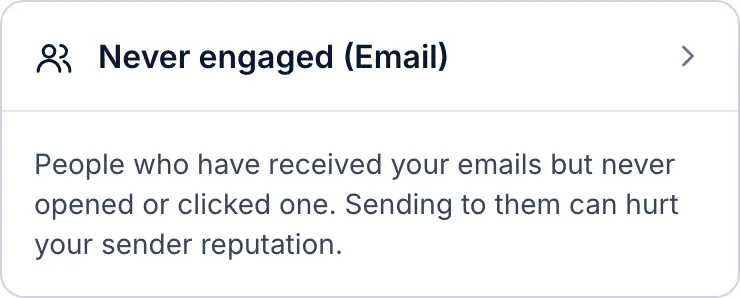
On a campaign’s Recipients step, Exclude unengaged recipients does something similar for one send: it leaves out people who got three or more emails from you in the last 90 days and opened or clicked none.
Find people who have gone quiet
Some people read for a while and then stop. The library’s Sunset (Email) segment finds subscribers who received at least five emails in the last 180 days and opened or clicked none, and who joined more than 180 days ago, so new subscribers are not caught.
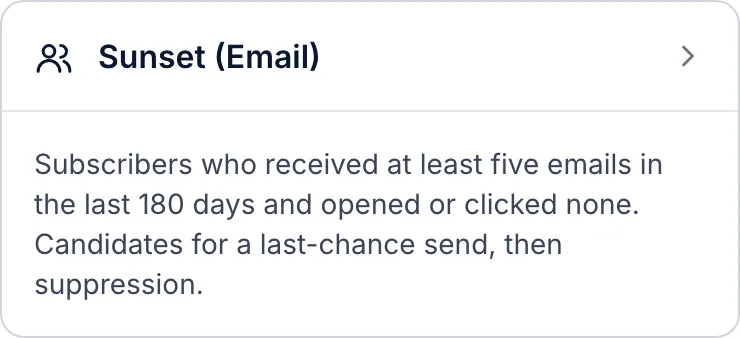
Before you suppress them, you can send this group one last email asking whether they want to stay, then suppress the people who still have not opened or clicked a week or two later.
Suppress or remove them
- Suppress
- Under Audience > Profiles, tick the profiles and choose Suppress. They get no more marketing email, and their history stays. You can unsuppress them later.
- Remove from a list
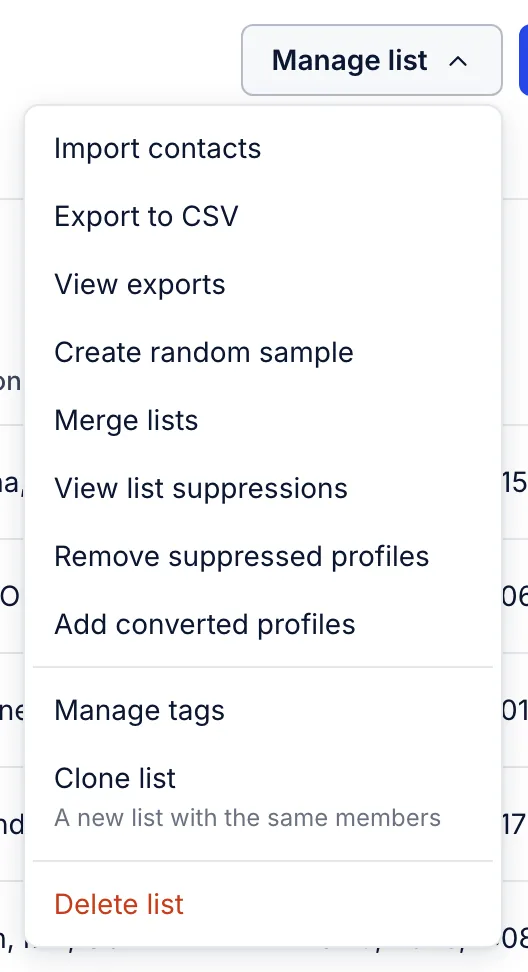
- On a list's page, Manage list > Remove suppressed profiles takes suppressed people off that list.
- Delete
- Settings > Other > Profile maintenance > Remove profiles deletes everyone in a list or segment, with everything recorded about them. It cannot be undone, and each deletion is logged as a privacy request.
Related articles
- Your deliverability score
What the score out of 100 is made of, the ranges we recommend, and the quickest ways to raise it.
- Troubleshoot a deliverability alert
What each alert on the deliverability page means and what to do about it, from a low open rate to spam complaints.
- Lists and segments
When to use a list, when to use a segment, and how a segment keeps itself up to date.
Something wrong or missing? Email hello@growthdept.ai.