Holdout tests
Keep a share of your profiles out of marketing for a while, and compare what they buy with everyone else, to see what your email and texts add.
About 2 minutes to read
What a holdout test tells you
Attribution gives a message credit when someone ordered after opening or clicking it. Some of those people would have ordered anyway. A holdout test answers the bigger question: how much more do people buy because they get your marketing? It keeps a random share of your profiles out of every campaign and flow message on the channels you choose, then compares how often each group converts.
Set one up
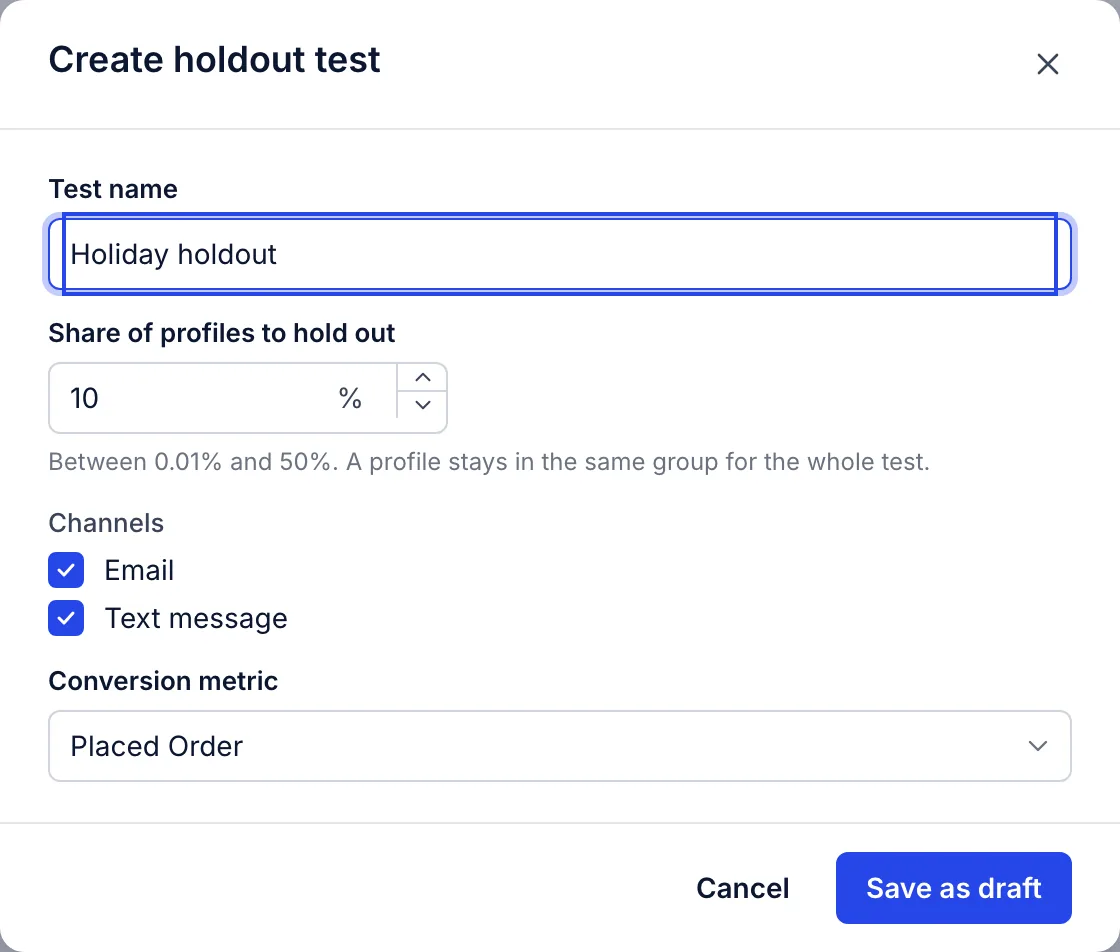
- Go to Analytics then Experiments and open the Holdout tests tab.
- Choose Create test and name it.
- Set the share of profiles to hold out, from 0.01% to 50%.
- Choose the channels: email, text message or both.
- Choose the conversion metric. It starts as your account’s, usually Placed Order.
- Save it as a draft, then choose Start test when you are ready.
Who is held out
Each profile lands in a group by a fixed calculation on the test and the profile, so a person stays in the same group for the whole test, including people who join your list after it starts. Held-out people are skipped when a campaign or flow message would go to them on a test channel.
Order confirmations and other transactional messages still go to everyone, and so do test sends.
Read the results
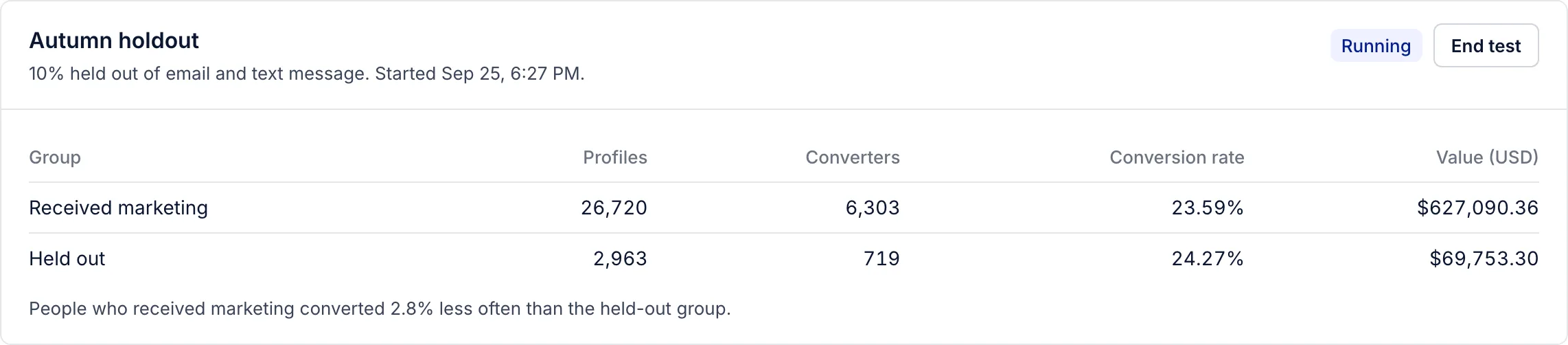
- Profiles
- Everyone in the account, split by group.
- Converters
- People in the group with at least one conversion event since the test started.
- Conversion rate
- Converters divided by profiles in the group.
- Value
- What those conversions were worth, in your account's currency.
The line under the table compares the two conversion rates: how much more, or less, often people who received marketing converted than the held-out group. Until someone in the held-out group converts, there is nothing to compare, and it says so.
How big, and for how long
A bigger holdout gives a clearer answer sooner, and costs more, because those people miss your offers while it runs. The form starts at 10%. Run it long enough to cover your customers’ usual time between orders, so both groups have had the chance to buy.
The page does not test whether the difference is statistically significant. With small groups, a gap of a few percent can be chance; let the test run longer before acting on it.
End or delete a test
End test sends marketing to everyone again from that moment; the results stay on the page. A test that is not running can be deleted, with its results.
Related articles
- Custom report types
The five kinds of custom report, what each one answers, and how to run, schedule and export one.
- How benchmarks compare your results
Benchmarks rate each result against your own earlier periods. How the ratings work, and why there is no comparison with other brands.
- Bot clicks and machine opens
How we keep security scanners and privacy features from inflating your clicks, opens and attributed revenue.
Something wrong or missing? Email hello@growthdept.ai.